> ## Documentation Index
> Fetch the complete documentation index at: https://checkly-422f444a-playwright-vs-cypress-2026.mintlify.site/llms.txt
> Use this file to discover all available pages before exploring further.
# Attaching Git metadata
> Attach git metadata like branch, commit SHA, and owner to your Checkly test sessions and deployments so you can cross-reference monitoring with code changes.
The CLI can attach git metadata like `branch`, `commit sha`, `owner` and more when executing the `test --record` and `deploy` commands. This way you can keep track of
your test sessions and deployed resources in the UI and cross-reference them with any updates to your code.
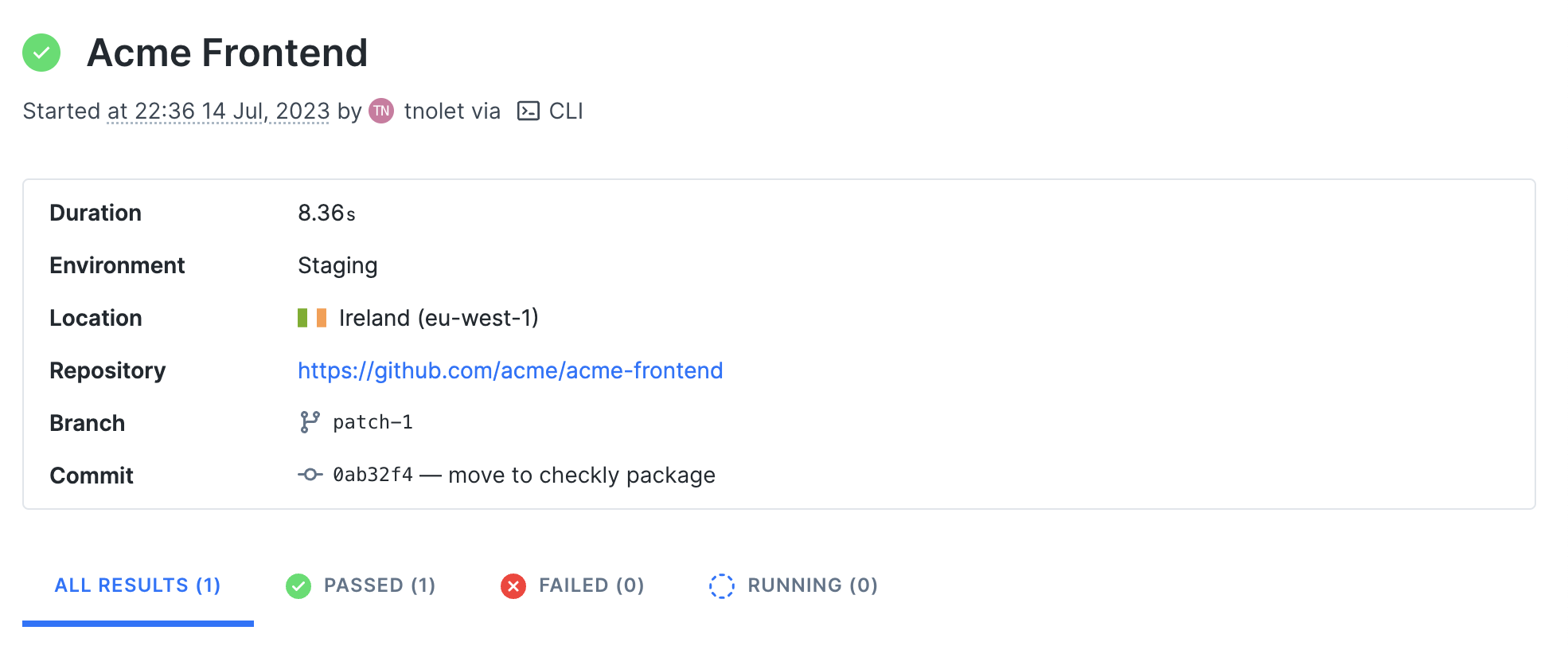
For example, in the screenshot below we ran a **test session** from our CI server after the project was deployed to our
Staging environment with the `npx checkly test` command.
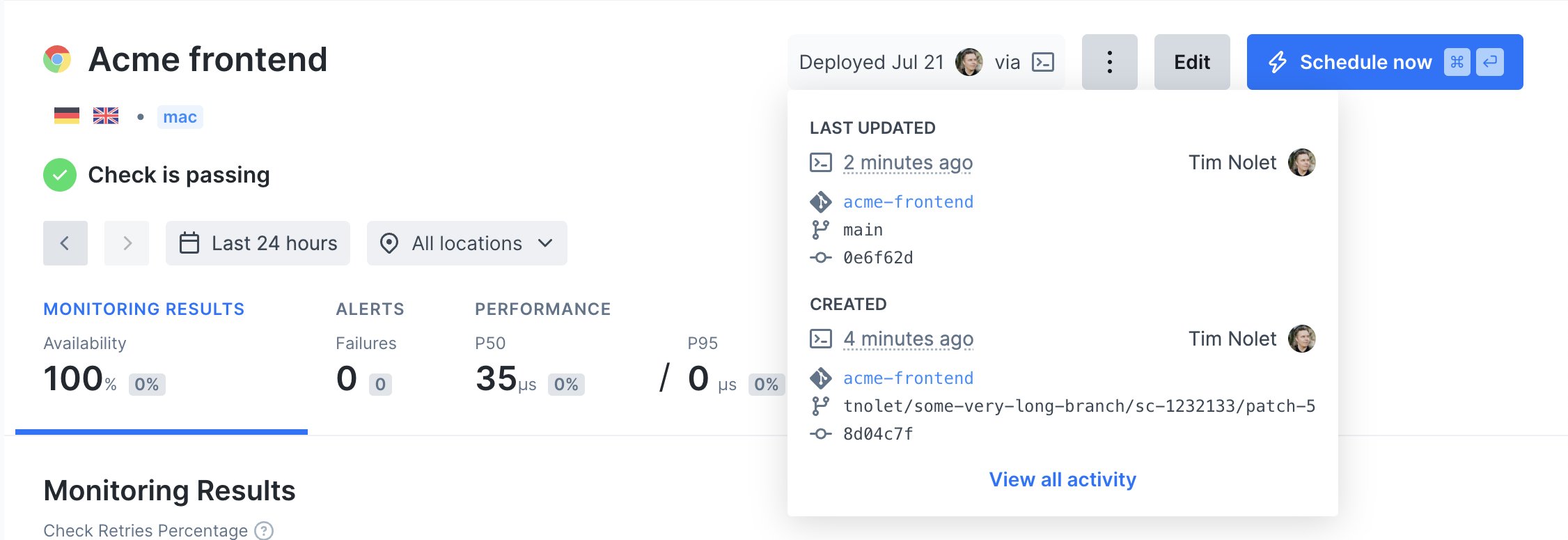
 After the test succeeds, we **deploy** this check so it runs as a monitor with `npx checkly deploy`.
 ## Environment variables
The CLI will attempt to auto-detect and parse git specific information from your local machine or CI environment, but you
can also set these data items specifically by using environment variables.
| Item | Auto | Variable | Description |
| - | - | - | - |
| **Repository** | false | `repoUrl` in `checkly.config.ts` or `CHECKLY_REPO_URL` | The URL of your repo on GitHub, GitLab etc. |
| **Commit hash** | true | `CHECKLY_REPO_SHA` | The SHA of the commit. |
| **Branch** | true | `CHECKLY_REPO_BRANCH` | The branch name. |
| **Commit owner** | true | `CHECKLY_REPO_COMMIT_OWNER` | The committer's name or email. |
| **Commit message** | true | `CHECKLY_REPO_COMMIT_MESSAGE` | The commit message. |
| **Environment** | false | `CHECKLY_TEST_ENVIRONMENT` | The environment name, e.g. "staging" |
For example, if you want to specifically set the Environment you invoke:
```bash Terminal theme={null}
CHECKLY_TEST_ENVIRONMENT=Production npx checkly test
```
Or, if you want to set repo URL you invoke:
```bash Terminal theme={null}
CHECKLY_REPO_URL="https://my.git.solution/project/" npx checkly test
```
## Environment variables
The CLI will attempt to auto-detect and parse git specific information from your local machine or CI environment, but you
can also set these data items specifically by using environment variables.
| Item | Auto | Variable | Description |
| - | - | - | - |
| **Repository** | false | `repoUrl` in `checkly.config.ts` or `CHECKLY_REPO_URL` | The URL of your repo on GitHub, GitLab etc. |
| **Commit hash** | true | `CHECKLY_REPO_SHA` | The SHA of the commit. |
| **Branch** | true | `CHECKLY_REPO_BRANCH` | The branch name. |
| **Commit owner** | true | `CHECKLY_REPO_COMMIT_OWNER` | The committer's name or email. |
| **Commit message** | true | `CHECKLY_REPO_COMMIT_MESSAGE` | The commit message. |
| **Environment** | false | `CHECKLY_TEST_ENVIRONMENT` | The environment name, e.g. "staging" |
For example, if you want to specifically set the Environment you invoke:
```bash Terminal theme={null}
CHECKLY_TEST_ENVIRONMENT=Production npx checkly test
```
Or, if you want to set repo URL you invoke:
```bash Terminal theme={null}
CHECKLY_REPO_URL="https://my.git.solution/project/" npx checkly test
```